Run the bar, the tables and the books from one screen.
VenuPulse is the point of sale and venue system for pool halls and bars: a fast touch POS, customer tabs, table time that unlocks the tables, inventory down to the pour, and a tamper-evident record of every void and comp.
Every venue gets its own secure address, like yourvenue.venupulse.com · works on any tablet or computer with a browser
Everything a pool hall bar needs
One system instead of a register, a spreadsheet and a clipboard
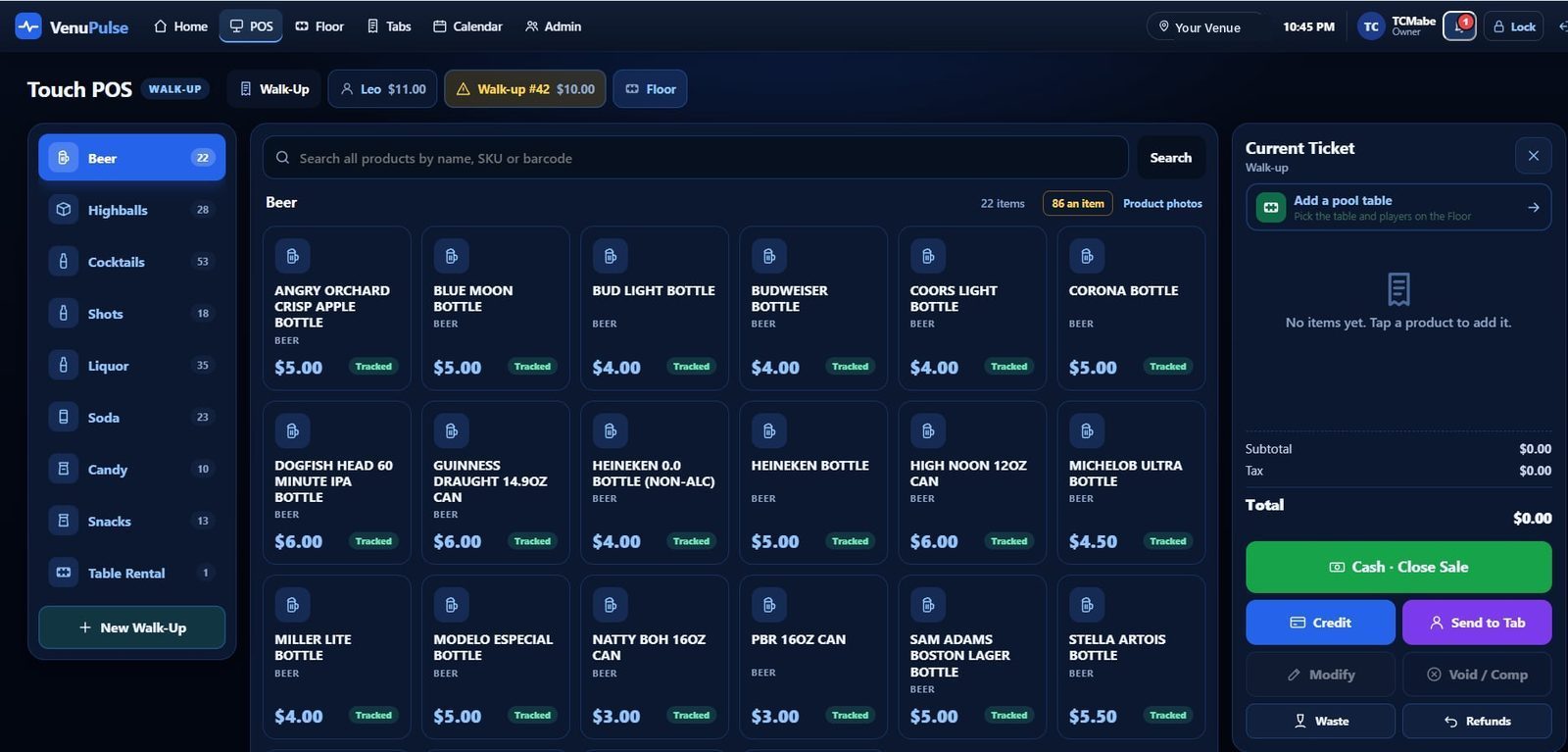
Touch POS built for speed
Big buttons, your real menu, walk-up tickets and tabs side by side. Cash, credit and send-to-tab in one tap.
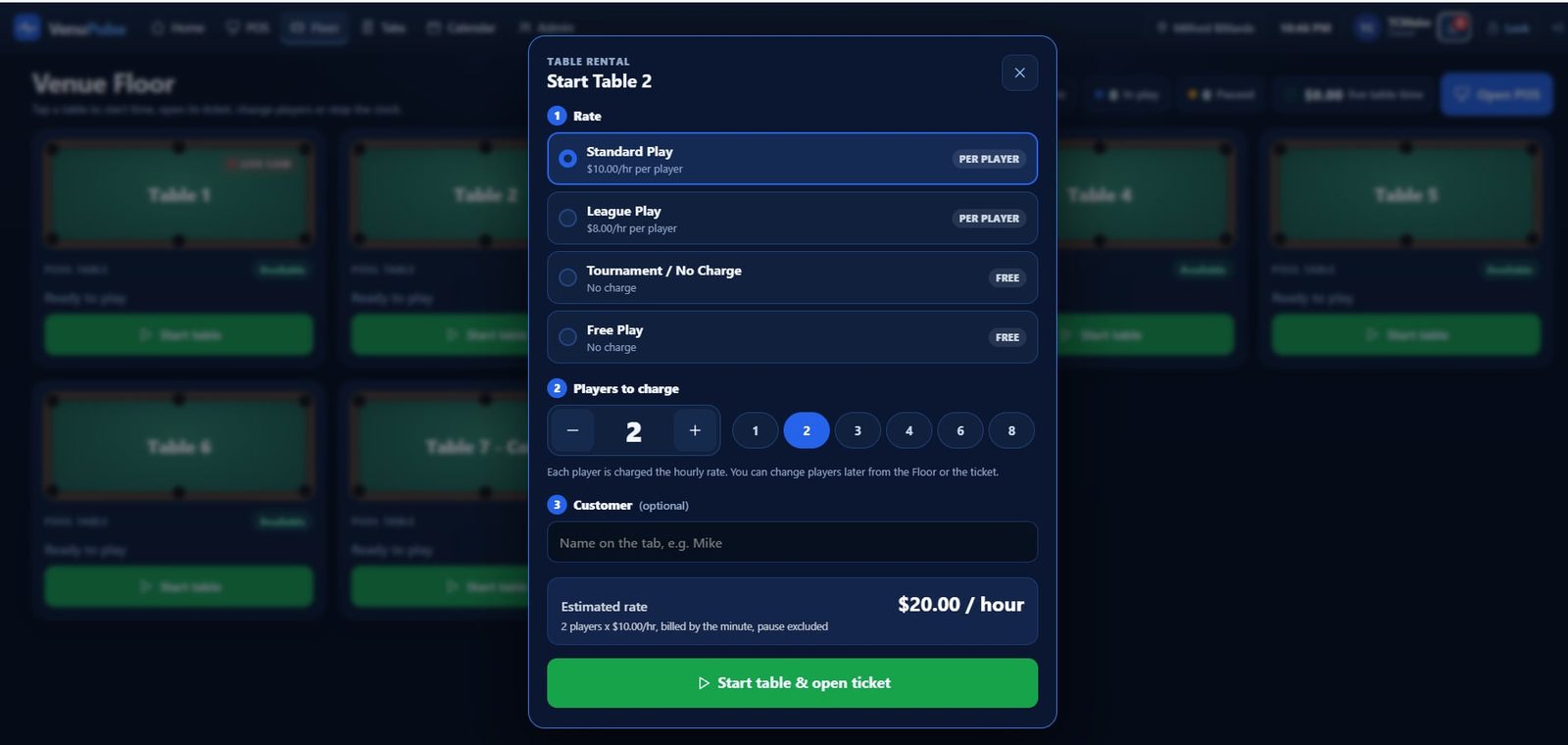
Table time that runs itself
Start a table with a rate and player count. With Table Commander, the table unlocks for the time that was paid.
Customer tabs
Open a tab by name, keep ringing drinks onto it all night, close it with cash or card. Nothing gets lost between shifts.
Inventory to the pour
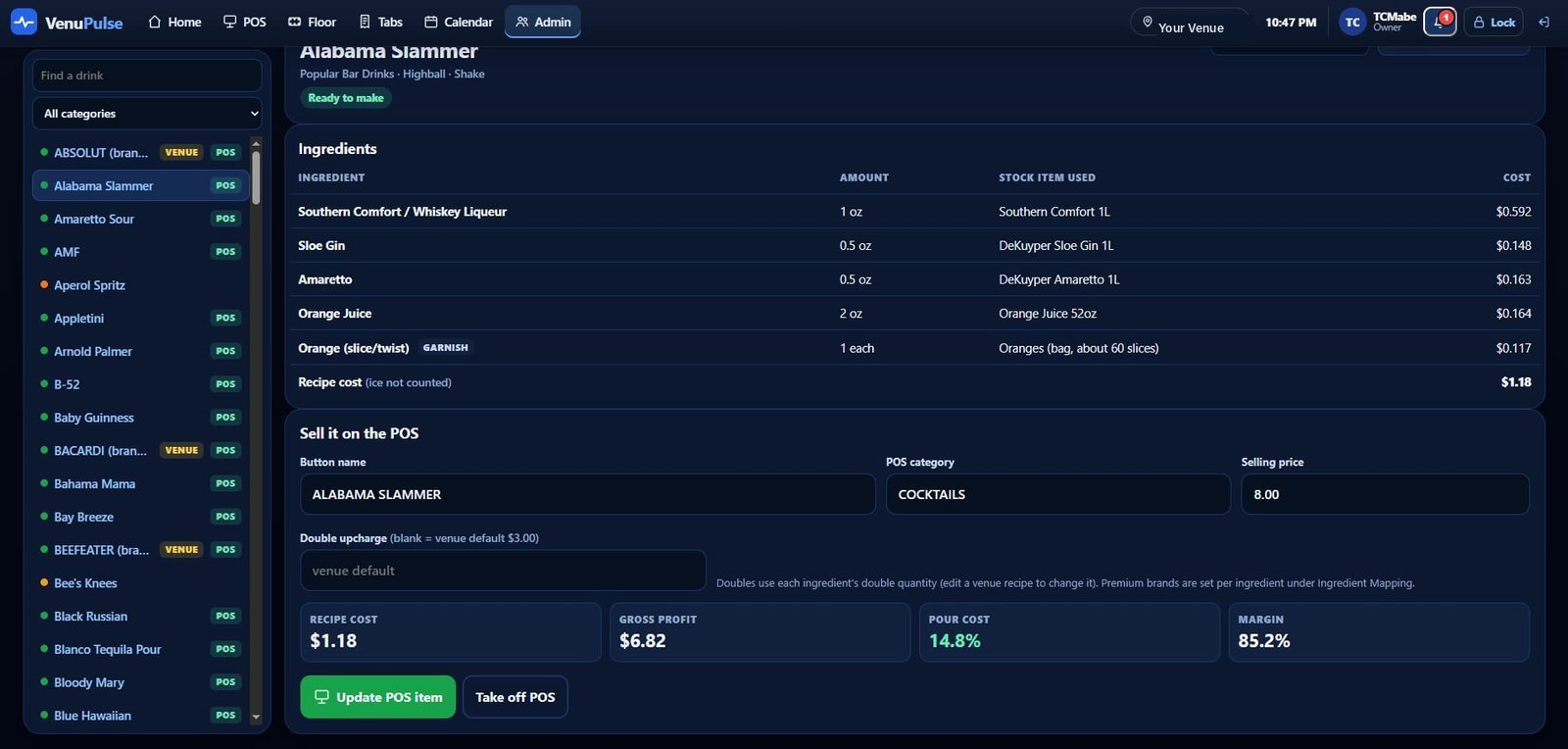
Recipes know what goes in every drink, so a sale uses the right bottles. Receiving, counts, variance and pour cost per drink.
Evidence Ledger
Every void, comp, refund and price change is sealed in order with who did it and who approved it. Edits to history show up.
Staff, PINs and approvals
Bartenders sign in with a PIN. Managers approve voids, comps and refunds at the bar. Owners see every location.
Venue Floor
Pool tables are revenue. Treat them that way.
- Standard, league, tournament and free-play rates, per player or per table
- Billed by the minute, with pauses left out
- Table time lands on the customer’s ticket or tab automatically
- Time corrections need a manager and are logged
Know your numbers
See what every drink really costs you
Each drink’s recipe is tied to the bottles on your shelf, so VenuPulse shows the recipe cost, gross profit, pour cost and margin before you set the price.
Shrink stops here
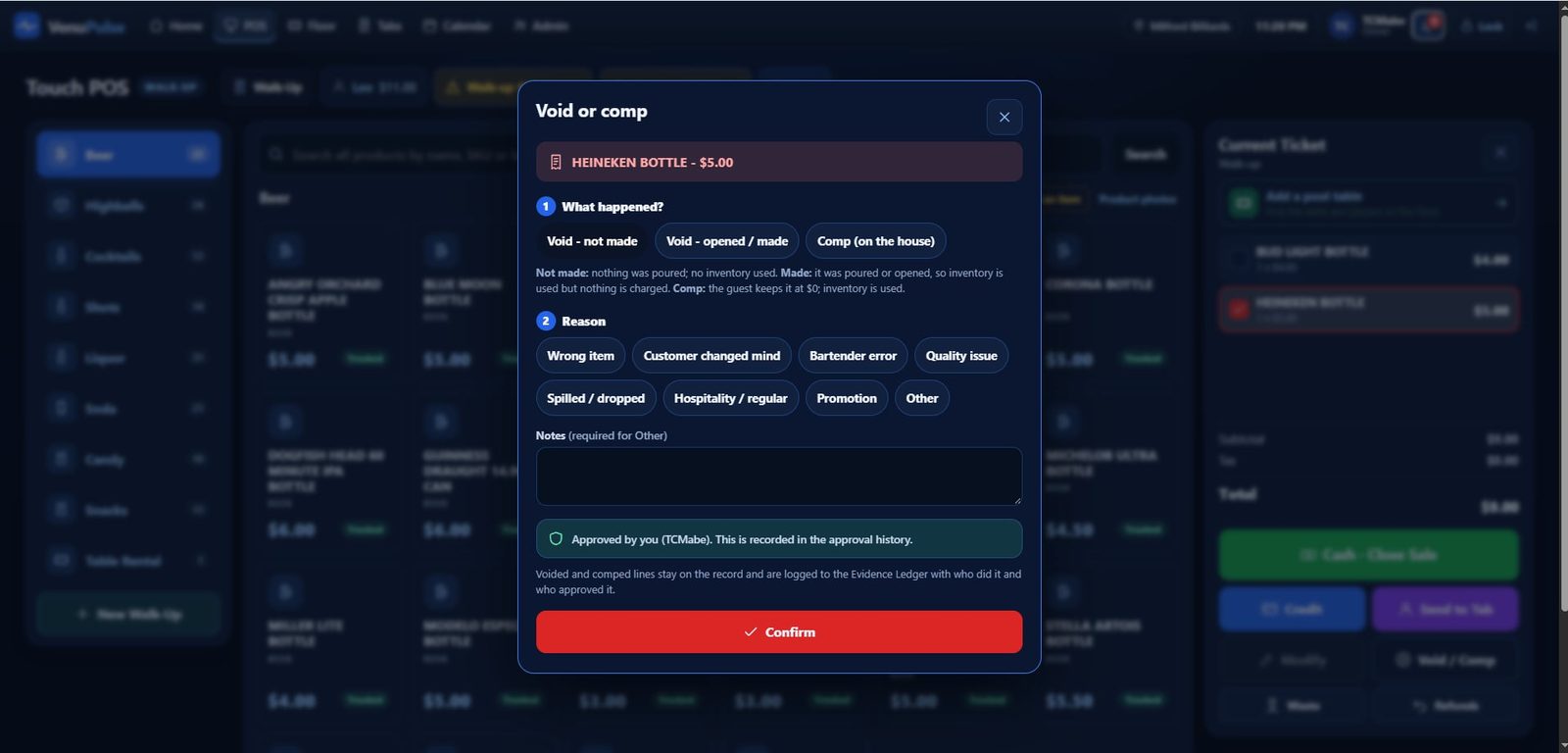
Every void and comp has a name on it
- Void not made, void made, or comp, each with a reason
- Late voids, comps and refunds need a manager’s PIN
- Daily, monthly and per-employee void reports
- A sealed Evidence Ledger: you’ll know if history was changed
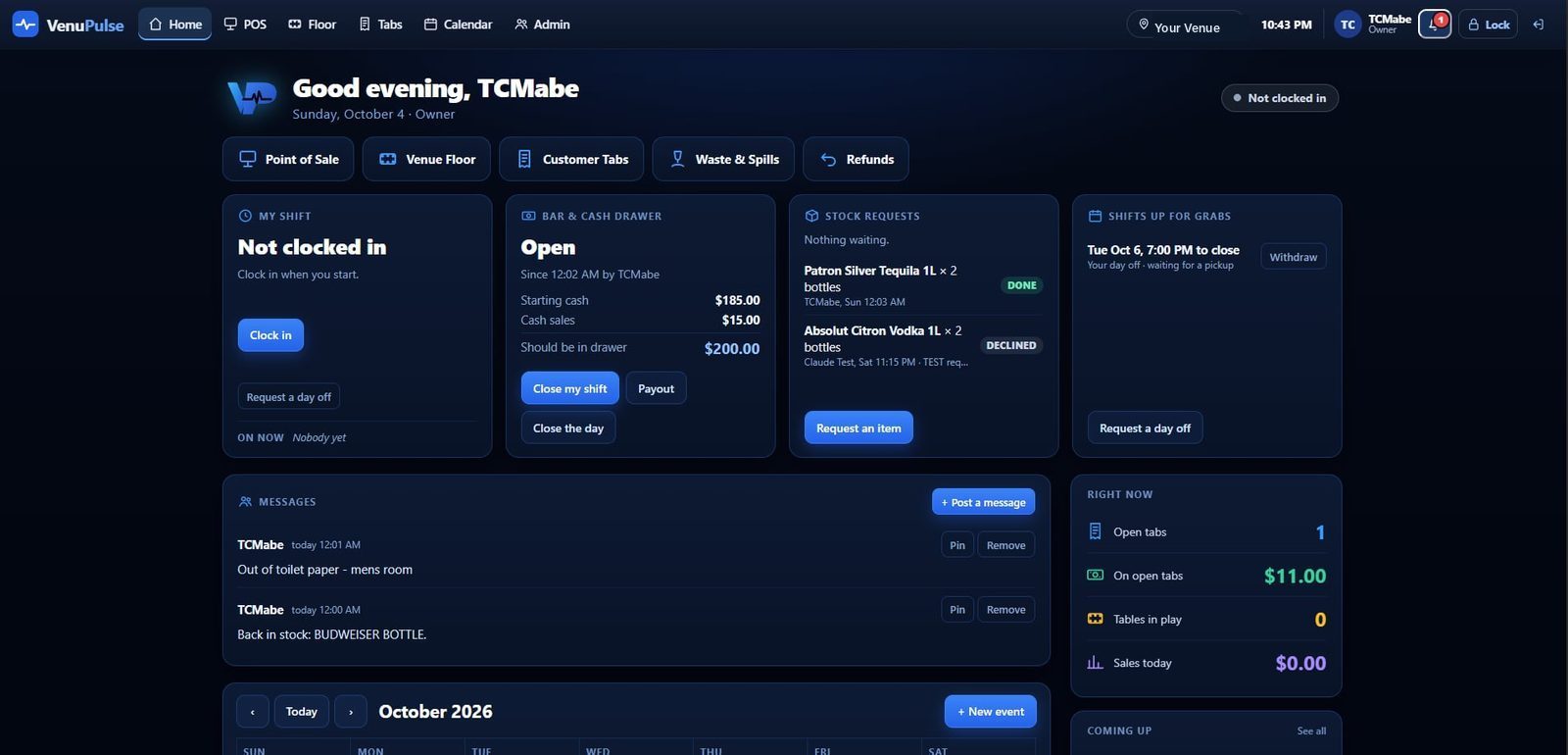
The shift at a glance
Shifts, the cash drawer, stock requests and messages, all on the home screen
Getting started
We set up your venue
Your venue gets its own address, like yourvenue.venupulse.com, with your menu loaded.
Register your tablets
Any tablet or computer with a browser becomes a POS. Sign in once as the owner to register it.
Staff sign in with a PIN
Add your staff and their roles. They’re ringing sales the same night.
Pricing
Let’s talk about your venue
Tell us about your venue and we’ll walk you through pricing and setup.
Bring VenuPulse to your venue
Email us at [your contact email] with your venue’s name, how many tables you have and what you use today.